It’s a common scenario to take a picture with a camera and then go pick up the scattered workpieces. If the workpieces are large enough, it’s not a big deal, but with small workpieces under 10mm, even a slight misalignment can prevent you from picking them up. I’d like to write about some tips for adjusting in such situations. Oh, and this is about 2D modeling, not 3D modeling like bulk stacking.
There are two main reasons why a slight misalignment might occur when picking up a workpiece:
a. If you move away from the initially programmed reference workpiece position, the misalignment will be proportional to the distance.
b. If the workpiece is rotating and you rotate the hand in that direction, the misalignment will occur.
Now, let’s discuss a. (b. will be covered next time . )
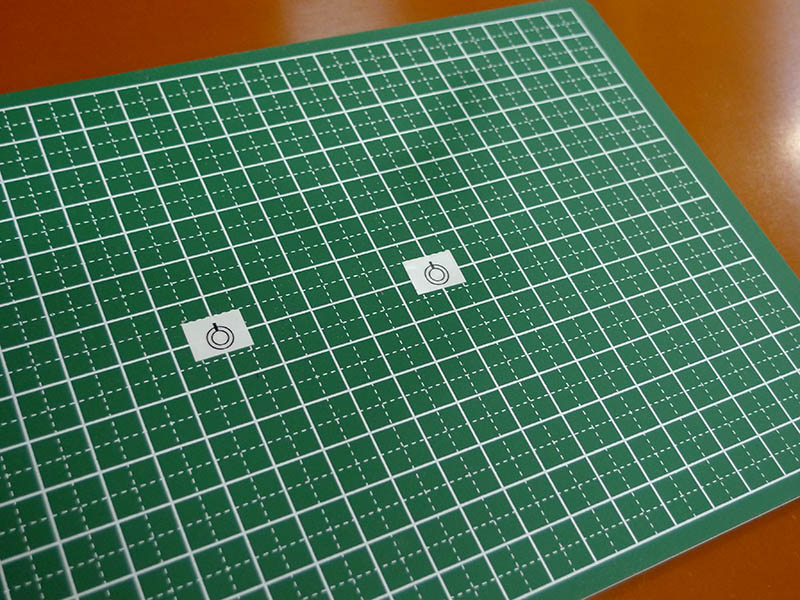
To make things easier to understand, I’ve prepared this. Imagine the apple-shaped object as the workpiece. Keep the two workpieces facing the same direction without rotating them.
Step 1. First, place the workpiece in the center of the camera and take a picture, then use that image to teach the model for pattern matching.
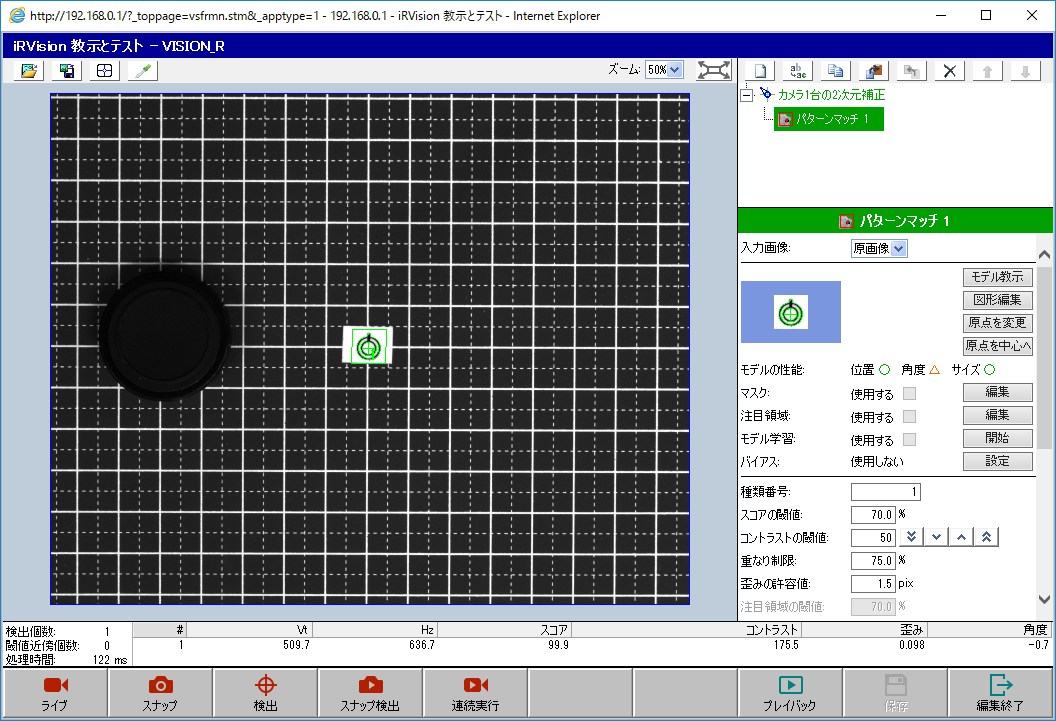
The workpiece that is not needed is hidden by covering it with the camera cap.
Step 2. Next, select “2D correction with one camera” in the upper right corner of the screen and then perform snap detection. Even when you get used to it, it’s easy to forget to press snap detection at this point lol. Be careful, because after the hand movement that we’ll do next, the hand will get in the way and snap detection will not be possible.
Step 3. Then, move the hand to the workpiece and press the Set Reference Position button to save. At the same time, register it in the first register (first register [41] in this example) which will be used when actually moving to the pickup position in the program.
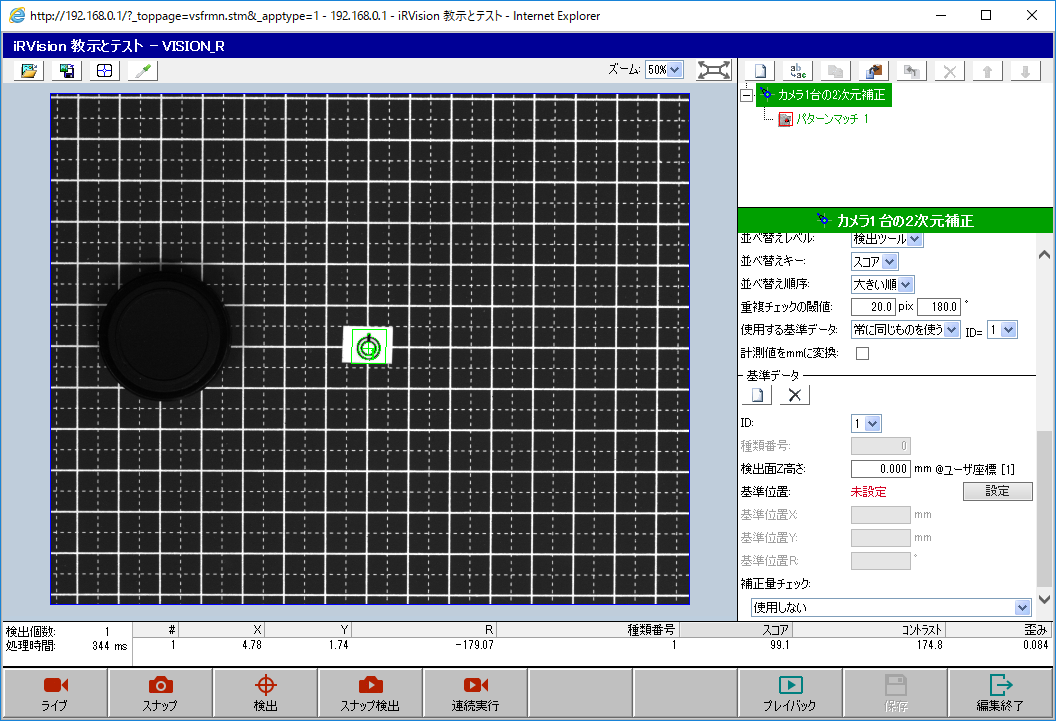
Once we reach this point, I think we’ll be able to programmatically capture vision images and move the hand to the work area.
Step 4. Let’s actually create and run the following program.
! Move to standby position
J P[1] 100% FINE    ;
! Register a position that does not interfere with image capture

! Vision detection
VISION RUN_FIND 'VISION_R' ;
! Replace with your own vision process name
VISION GET_OFFSET 'VISION_R' VR[1] JMP LBL[999] ;

! Move above workpiece
! 30 mm above in Z, 0 for others
PR[8,1:Approach Ofs]=0    ;
PR[8,2:Approach Ofs]=0    ;
PR[8,3:Approach Ofs]=30   ;
PR[8,4:Approach Ofs]=0    ;
PR[8,5:Approach Ofs]=0    ;
PR[8,6:Approach Ofs]=0    ;

L PR[41:Work Ref Pos] 100mm/sec FINE VIS_OFFSET,VR[1] TOOL_OFFSET,PR[8:Approach Ofs] ;

! Move to workpiece
L PR[41:Work Ref Pos] 100mm/sec FINE VIS_OFFSET,VR[1] ;

END ;

LBL[999] ;
! Workpiece not detected
END ;
It worked.
Step 5. Next, slide the cover aside and try the other workpiece.
At first glance, it looks like it worked, but when you zoom in, you can see it’s misaligned. You can see that the hand is slightly shifted to the left.
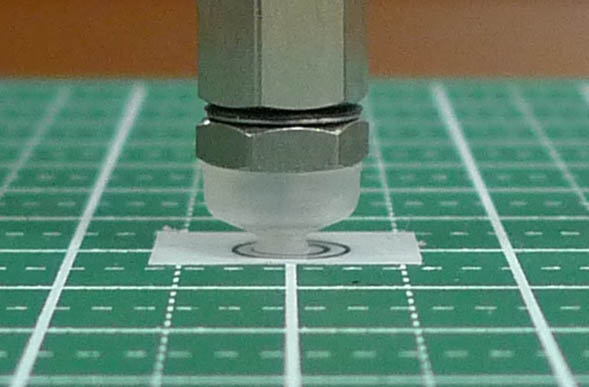
The discrepancy that occurs here stems from a difference in height between the surface of the workpiece and the user’s coordinate system.
Step 6. Adjust as follows depending on whether the workpiece is now farther or closer to the reference position:
- If the hand has moved too far from the reference position, increase the Z-height.
- If the hand has moved too little from the reference position, decrease the Z-height.
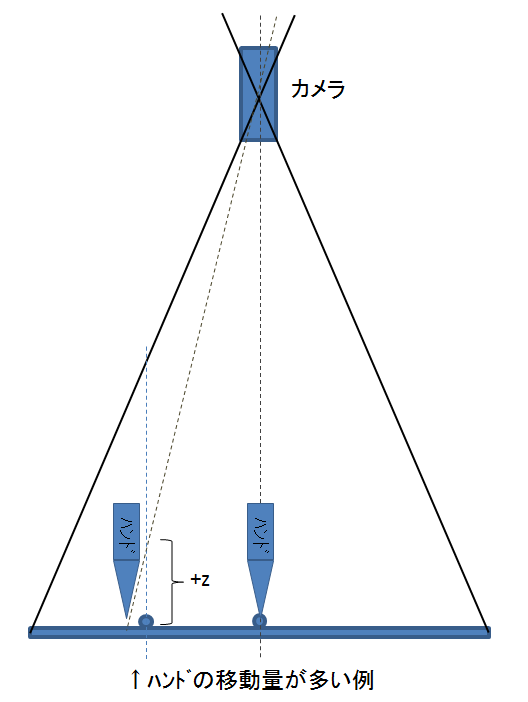
In this example, the hand has moved too far relative to the reference position, so we will shift it in the positive direction of Z. Specifically, we will change the “Detection Surface Z Height” in the red box on the next screen.
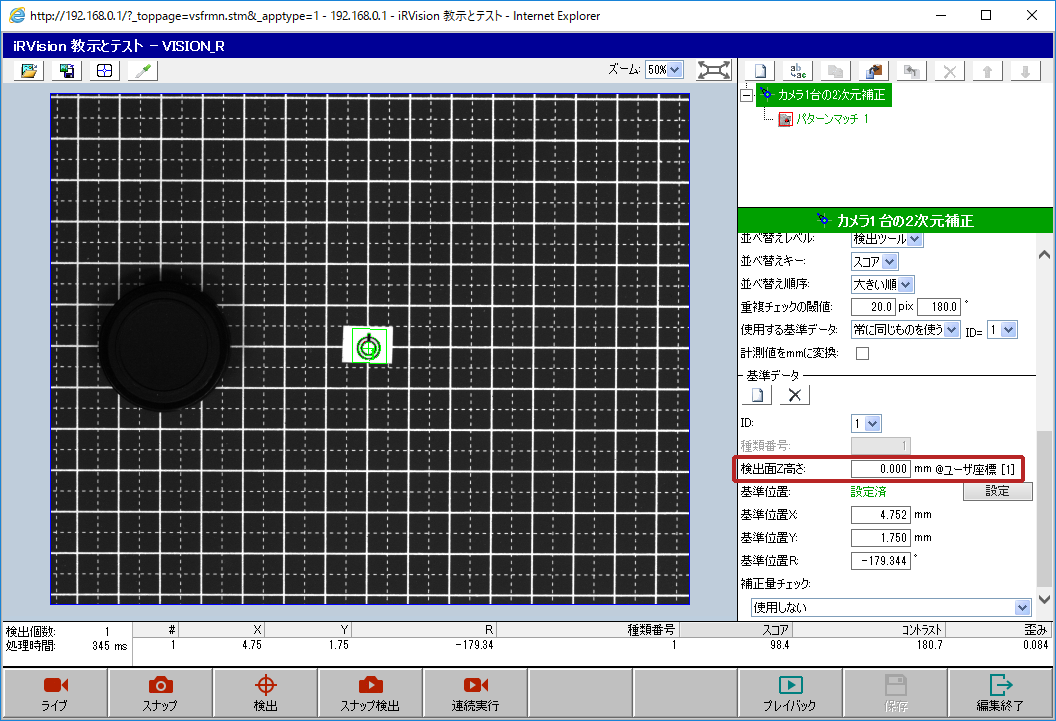
Changing this value will also erase the reference position (which is really troublesome), so if you change this value, you need to go back to step 2 and repeat setting the reference position.
(Since you’ll be repeating the same thing many times, we’re hiding the workpiece with a cover instead of removing it.)
After repeating the process of “trying to change the Z value → setting the reference position → moving the hand to the other workpiece using the program,” this time setting Z to +4mm worked perfectly.
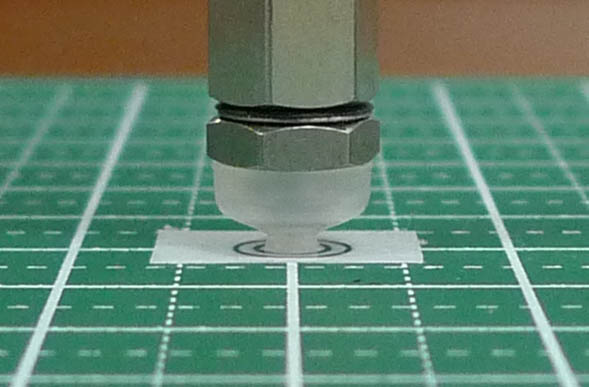
Even if the discrepancy is only slight at this stage, if it combines with other discrepancies caused by different factors later on, you’ll end up in a mess. Therefore, it’s important to get it right from the start.
コメント