FANUC R-30iB Mate
Entering comments one by one using a T-Pen is time-consuming and inefficient.
Connecting the robot controller to a PC with a LAN cable and accessing the robot controller’s IP address in Internet Explorer (IE) allows you to enter comments. While Chrome or Firefox are fine for comments alone, you’ll need to use IE to configure iRVision.
(Note: iRVision configuration is also supported in Chrome for recent controllers.)
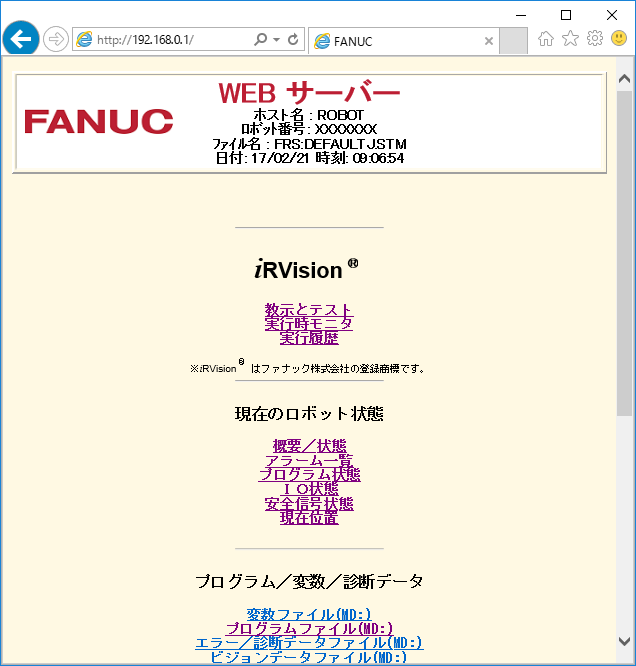
When this screen appears, scroll down and select Robot Tools – Comment Tools.
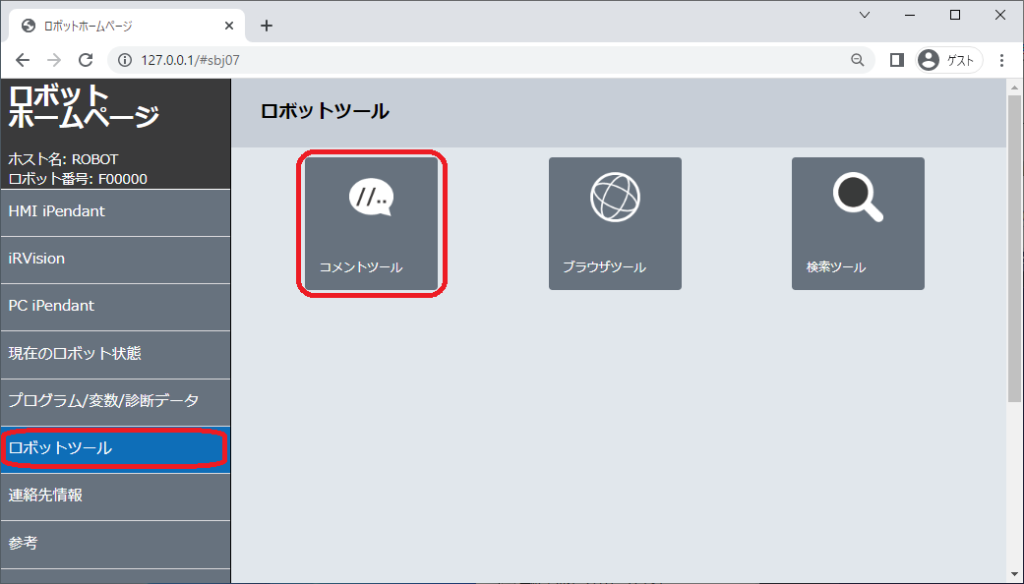
The newer robots have a gray screen and a comment tool in the robot tools.
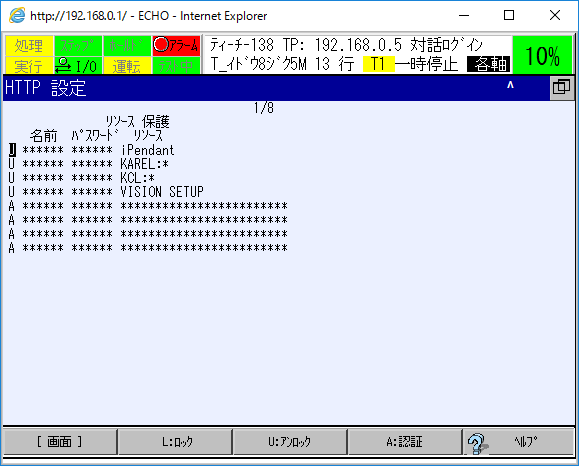
If the basic authentication screen appears and you are asked for your username and password, you will need to change the settings in Teach Pendant beforehand.
Go to [SETUP] → [Host Comm] → [HTTP] and select U (unlock) as shown in the screen below. It’s hard to see in the image, but there is a U at the beginning of the line.

コメント