It is common for robot hands to have a chuck or vacuum attached to the tip, and by registering a macro, you can easily open and close the chuck or turn the vacuum on and off from the teach pendant.
The SU macro, which can be executed by holding down [shift] and pressing one of the buttons arranged in an L shape as shown in the following image, is easy to use and is recommended.
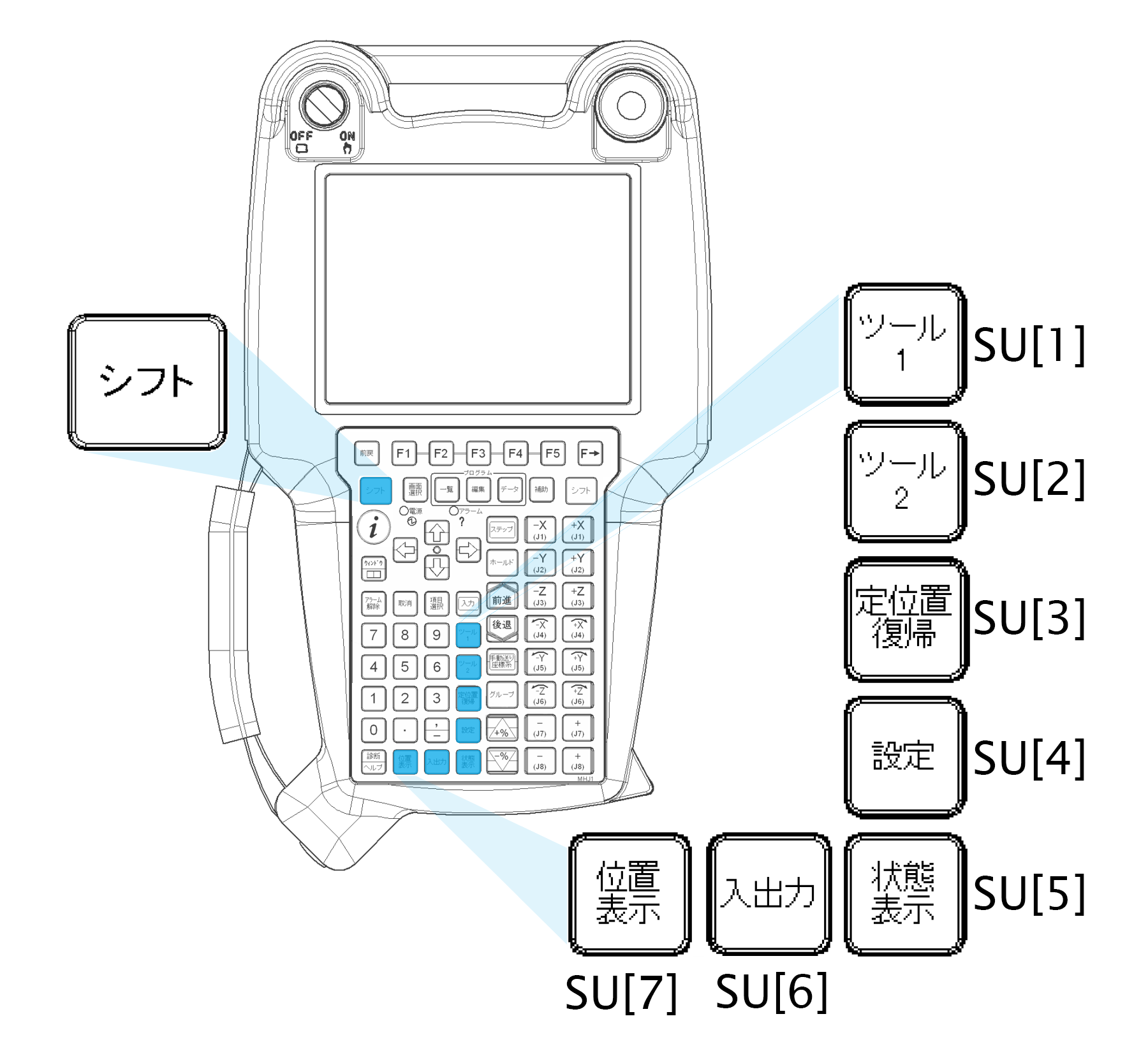
SU Macro Registration Example:
First, create a program to be registered as a macro (e.g. VACON).
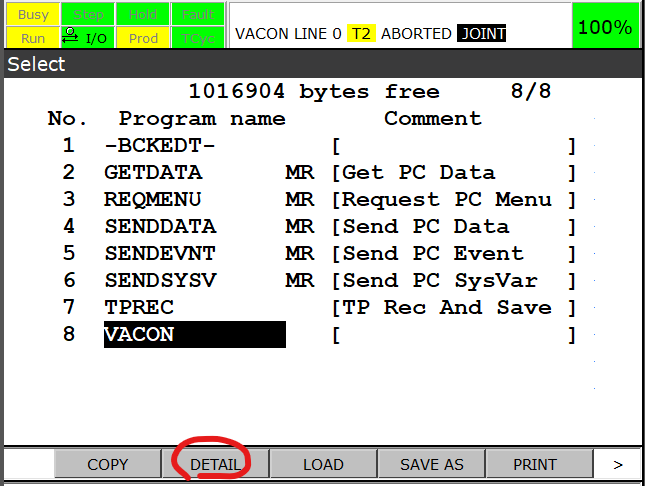
In DETAIL of the Program, Set Group Mask to all *.
Open Menu → Setup → Macro
Set the Program field to the program you just created.
Set the assignment to SU[1].
コメント